How Does Google Built-In and Gemini AI Make the 2026 Mazda CX-5 Easier to Live With?
August 14 2026,
Every commute in Ontario comes with small distractions: a traffic update, a text alert, a turn you didn’t quite memorize. The 2026 Mazda CX-5 answers those moments with Google Built-In, a voice-first system that handles navigation, climate, and media without a screen tap. It’s a small shift in how the cabin works, but it changes how much attention the road actually gets.
What Google Built-In Actually Is
Google Built-In is not a phone app mirrored onto the dashboard. It’s an infotainment platform with Google’s own services running directly in the CX-5, so navigation, voice control, and app access work without a smartphone plugged in.
That’s a change from relying only on Apple CarPlay or Android Auto, which still work in the CX-5 but need a connected phone to function. A driver’s Google account carries over between phone, browser, and vehicle, so saved locations and preferences show up on the CX-5’s screen without any extra setup.
How the Voice Controls Work Today
Right now, Google Assistant in the CX-5 handles the tasks that used to mean reaching for a button: adjusting the temperature, tuning the radio, sending a text, or placing a call. The driver asks, and the system responds, keeping hands on the wheel and eyes forward.
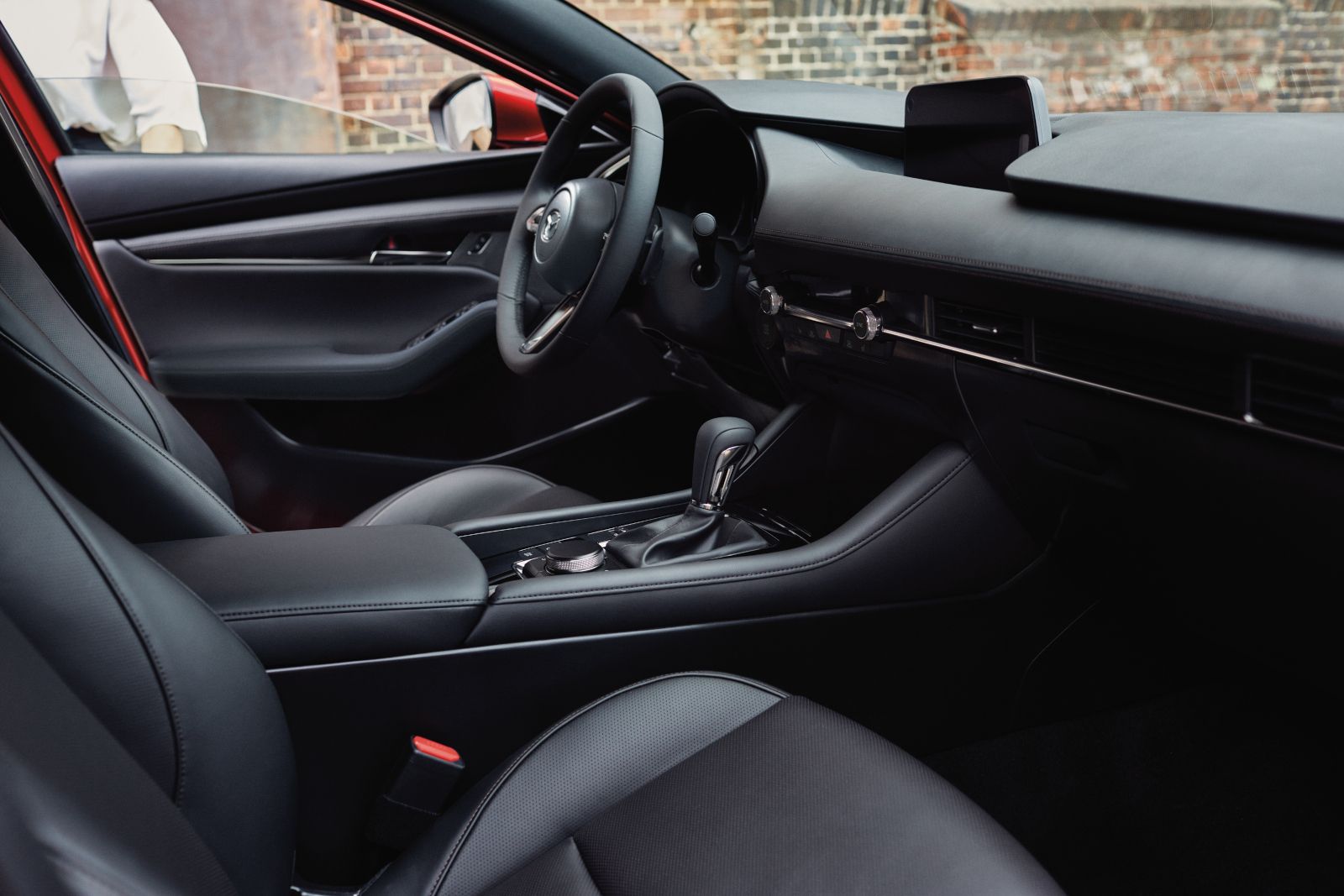
The cabin layout backs that up. Climate and volume controls stay docked at the bottom of the touchscreen for quick manual access, and the redesigned steering wheel splits the workload: the left side covers infotainment functions like volume and source selection, the right side handles driving functions like drive mode selection and the 360-degree view monitor.
What Changes When Gemini Arrives
Google’s Gemini AI assistant is coming to the CX-5 through a future software update. Google Assistant handles a defined set of commands today. Gemini is built for conversation instead: drivers will be able to ask complex questions, follow up naturally, and steer the exchange without memorizing exact phrasing.
Gemini also widens what voice control can reach inside the CX-5, extending beyond climate and calls to maps, media selection, and vehicle information, all through the same back-and-forth conversation rather than a fixed list of commands.
Why This Matters on Ontario Roads
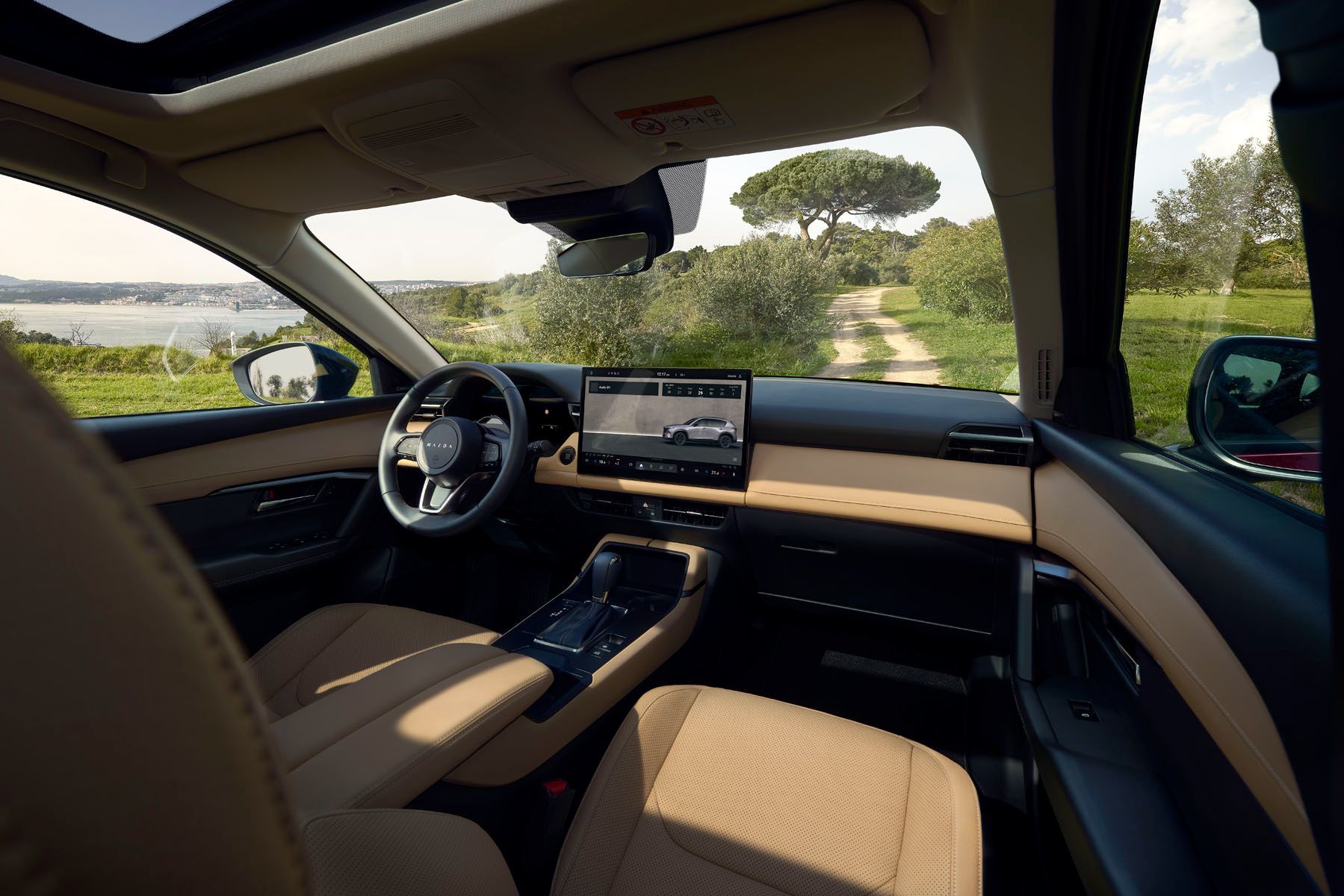
Google Maps inside the CX-5 pulls real-time traffic data, reroutes automatically around slowdowns, and offers recommendations based on where you’re headed. That’s a real difference from an embedded map that needs a manual update to stay current: the Google Maps data refreshes continuously instead of going stale between updates.
The Google Play Store adds a curated set of apps built for use behind the wheel, including options for music, news, and streaming audio. Apps that could pull attention off the road, such as video or games, stay restricted while the CX-5 is moving, which keeps the underlying goal in place: fewer reasons to look down.
Mazda can also add branded and third-party features to the system through future over-the-air updates, so the technology set isn’t fixed at the point of purchase.
The Screens That Support It
All of this runs through a standard 12.9-inch touchscreen, with a 15.6-inch display available on the GT with the Premium Package. A 10.25-inch digital instrument cluster comes standard across the lineup, showing navigation prompts, incoming call details, and driver assistance readouts directly ahead of the driver.
|
Trim |
Touchscreen |
Instrument Cluster |
Speakers |
|
GX |
12.9-inch |
10.25-inch |
8 |
|
GS |
12.9-inch |
10.25-inch |
8 |
|
GT |
12.9-inch (15.6-inch with Premium Package) |
10.25-inch |
12-speaker Bose |
The jump from GX to GT isn’t about gaining voice control, since Google Built-In and the 10.25-inch cluster are standard on every trim. It’s about screen size and sound: the GT’s optional 15.6-inch display and 12-speaker Bose system build on the same voice-first foundation the GX already has.
Who Gets the Most Out of It
Drivers doing a lot of daily driving, school runs, errands, highway stretches between towns, get the clearest benefit, since fewer manual adjustments mean fewer moments with eyes off the road. Anyone already living inside a Google account, using Maps or Gmail daily, will also notice the account continuity between phone, browser, and vehicle right away.
Drivers who prefer physical buttons for everything aren’t left out either. The docked HVAC and volume controls stay on screen for manual access, so voice control is an option layered on top of the existing interface, not a replacement for it.
Getting Behind the Wheel of the 2026 CX-5
Google Built-In and the coming Gemini assistant give the 2026 CX-5 a voice-first way to handle navigation, climate, and media, cutting down on the screen taps and phone fumbling that pull attention off the road.
Visit Scarboro Mazda in Scarborough, Ontario, to sit inside the 2026 CX-5 and try the voice controls in person. Ask about the touchscreen options, the digital instrument cluster, and what Gemini will add once it arrives.